How Should Ergonomic Seating Change for Desk Work?
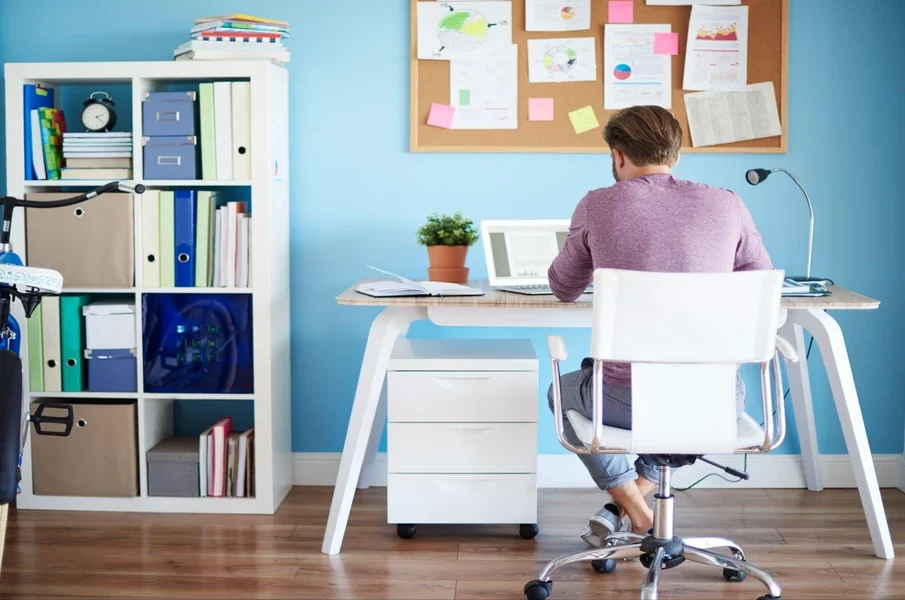
Desk work can involve typing, reading, drawing, reviewing documents or moving between several tasks. Each activity can place the body in a slightly different position, so seating adjustments may need to change rather than remain fixed throughout the working day.
An appropriate ergonomic seating solution should support the body while allowing users to adjust their position according to the task. Seat height, backrest position, armrests and the relationship between the chair and desk are among the main factors to consider.
How Should Ergonomic Seating Be Set Up for Computer-Based Work?
Computer-based work usually involves repeated keyboard and mouse use while looking at a screen. The chair should therefore support a stable position that allows the user to reach input devices without excessive reaching or raising the shoulders.
A suitable setup generally includes:
- Seat height: Adjust the chair so the feet can rest flat on the floor or on a suitable footrest.
- Back support: Position the backrest so it supports the lower back while the user works at the computer.
- Armrests: Where used, adjust them so the forearms can be supported without pushing the shoulders upwards.
- Desk position: Keep the keyboard and mouse within comfortable reach so the elbows can remain relatively close to the body.
- Screen position: Arrange the monitor to reduce the need to repeatedly bend or turn the neck.
The chair is only one part of the workstation. Other ergonomic supplies, such as footrests or suitable monitor supports, may help where the desk, screen or chair cannot otherwise be positioned appropriately.
Overall, computer-based seating should support a neutral, comfortable working position while keeping frequently used equipment within easy reach.
How Should Ergonomic Seating Change for Focused or Precision Work?
Precision tasks can include drawing, inspecting small objects, handwriting or other activities requiring close visual attention. These activities may encourage workers to lean towards the work surface, making appropriate chair and workstation positioning important.
For these tasks, workers should avoid relying on prolonged unsupported forward leaning. Where the task requires a closer view, the work itself may need to be repositioned so that excessive bending of the neck and upper back is reduced.
Relevant seating considerations include:
- Setting the seat at a height that provides suitable access to the work surface.
- Keeping the feet supported while working.
- Maintaining lower-back support whenever the working position allows.
- Positioning armrests so they do not prevent the chair from moving sufficiently close to the desk.
- Changing position periodically rather than maintaining one posture for an extended period.
An adjustable ergonomic seating solution can make these changes easier when a worker regularly switches between precision tasks and standard computer work.
In summary, seating for focused work should provide support without preventing the user from getting close enough to the task.
How Should Ergonomic Seating Be Adjusted for Reading and Paper-Based Work?
Reading and paperwork can create different positioning requirements from computer work. Documents placed flat on a desk may lead users to look down for extended periods, while writing can require greater access to the work surface.
Chair height should allow the user to work with the documents without unnecessarily raising the shoulders or bending far over the desk. The backrest should continue to provide support whenever possible.
The wider workstation can also influence posture. Document holders are examples of ergonomic supplies that may help position reference material closer to the user’s normal line of sight, particularly when information is frequently transferred between paper and a computer.
Workers should also reposition documents rather than repeatedly twisting or reaching across a large desk. Frequently used materials are generally better kept within convenient reach.
Therefore, ergonomic seating for reading and paperwork should be considered together with document placement and the height of the work surface.
How Should Ergonomic Seating Work for Creative and Multi-Task Desk Work?
Creative and multi-task roles may involve frequent transitions between a computer, drawing surface, paperwork, equipment and discussions with colleagues. A single fixed seating position may not suit every part of this workflow.
Adjustability becomes particularly relevant in these settings. Useful chair features can include adjustable seat height, backrest positioning and armrests, as well as a base that allows the user to reposition themselves without repeated awkward movements.
Workers can adjust their setup as tasks change:
- Move closer to the desk for detailed work rather than leaning forward excessively.
- Reposition armrests if they interfere with access to a particular work surface.
- Return to supported backrest use during computer-based activities.
- Keep frequently used equipment within comfortable reach.
- Alternate seated work with standing or short periods of movement where practical.
Overall, seating for multi-task work should accommodate changes in posture and working position. The aim is not to identify one fixed posture for every activity, but to maintain appropriate support as work requirements change.
Contact Ergoworks to make every desk task more comfortable.